Everything you need to leave your pet with someone you trust
How to set up, how to find the right person, the three ways to book, why the meet & greet is free, what you actually pay, and what happens if something goes wrong.
The whole journey at a glance
You can look around before you sign up for anything. Once you do, a first booking is five steps — and your money is held by our payment provider, Stripe, the whole way through.
- Browse without an accountLook at real sitters near you, their services and their prices, before you decide whether to sign up at all.
- Create your accountFree, on iPhone, Android or in your browser.
- Add your petsThe more honest the profile, the better the match — and the fewer surprises on the day.
- Add your addressNeeded so the app knows who is actually near you, and for anyone coming to your home.
- Find your personSearch, filter and compare. Read reviews. Look for the verification badge.
- Meet them first, freeOptional and costs nothing. No payment is taken until after you have met.
- Book and payYour card is authorised when you book and only charged when the sitter accepts.
- Follow alongChat, photos during the stay, and a live map on dog walks.
- It ends and you reviewYou have a window to raise anything that went wrong before the sitter is paid.
Create your account
You do not need an account to look. Open Petsly and you can browse real sitters near you, see what they offer and what they charge, before committing to anything. An account is only needed when you want to message someone or book.
Get Petsly from the App Store or Google Play, or use it in a browser at app.petsly.pet — the full app works on a computer, which many people prefer for the first search.
Sign up with an email and password, or with Google or Apple. Choose Pet Owner as your account type. Then the app walks you through the rest, and you can stop and come back — nothing is lost.
💡 Creating an account, searching, messaging and getting quotes are all free. You are only ever charged for a booking you have made.
Add your pets
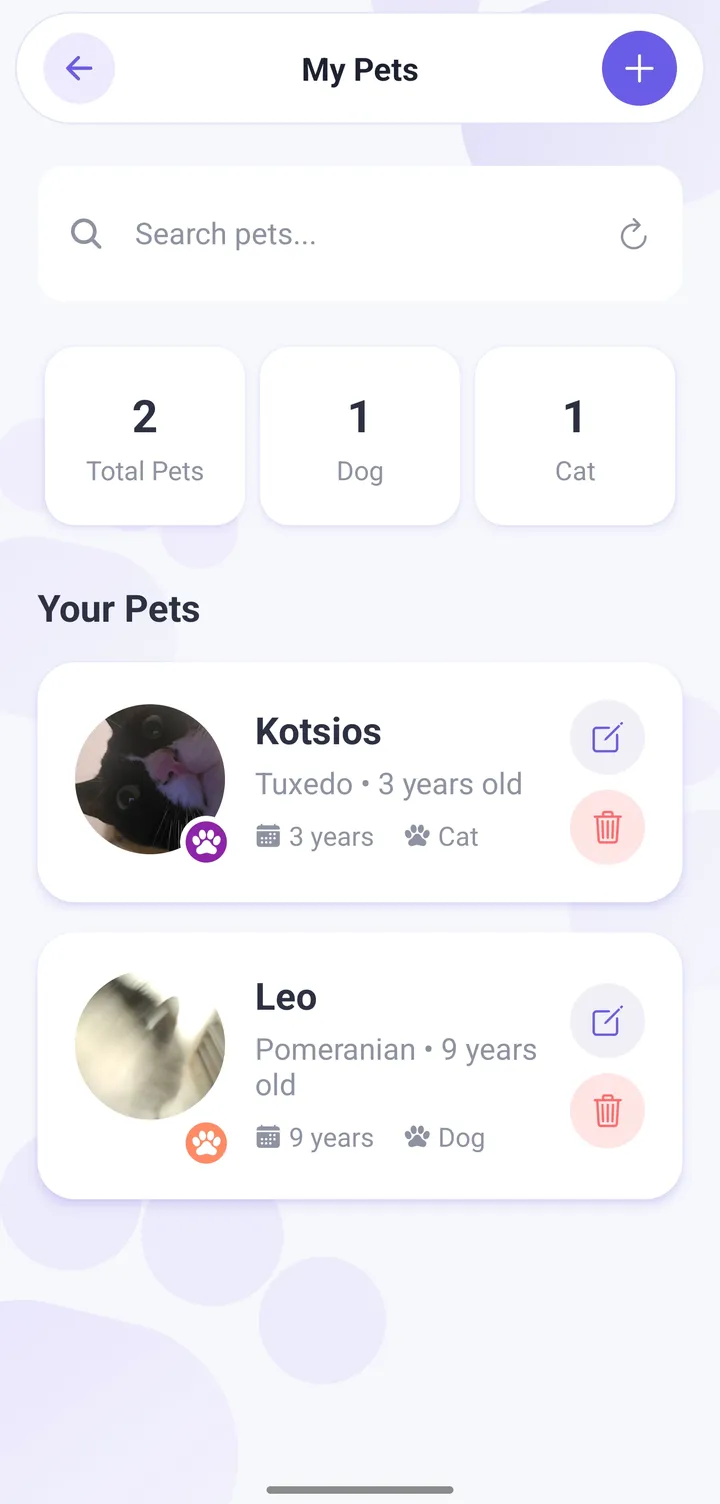
This is not paperwork. A sitter decides whether to accept your booking from this profile, and prices it from this profile — so a thin one gets you fewer replies and worse matches.
What to fill in
- The basics — species, breed, age, size and a photo. Sitters filter by what they accept, so this is what puts you in front of the right people.
- Temperament, honestly. Reactive on the lead. Bolts through open doors. Hates other dogs. Fine with cats. Telling a sitter the difficult thing up front gets you someone who can handle it; hiding it gets you a cancellation on the day.
- Routine — feeding times and amounts, walk habits, where they sleep, what settles them.
- Medical — medication and how it is given, allergies, conditions, your vet’s details.
You can add as many pets as you like and pick which ones a booking is for. Prices often depend on how many pets are going, so get this right before you compare quotes.
💡 The single most useful line you can write is the one you are tempted to leave out. Sitters who know about the difficult behaviour say yes far more often than sitters who discover it.
Add your address
Save at least one address before you try to book. It does two jobs: it tells the app which providers are genuinely near you, and it is where anyone coming to your home — a dog walker, a drop-in visit, a house sitter — is actually going.
Pick your city from the list rather than typing it. That is what connects you to local search results, and a typed city name will not match.
You can save several addresses and choose which one a booking uses — home, the office, a holiday place. Set the one you use most as your default and the app fills it in for you.
⚠️ If you get to the last step of a booking and the confirm button does not seem to do anything, a missing saved address is the first thing to check. Add one, then try again.
Find the right person
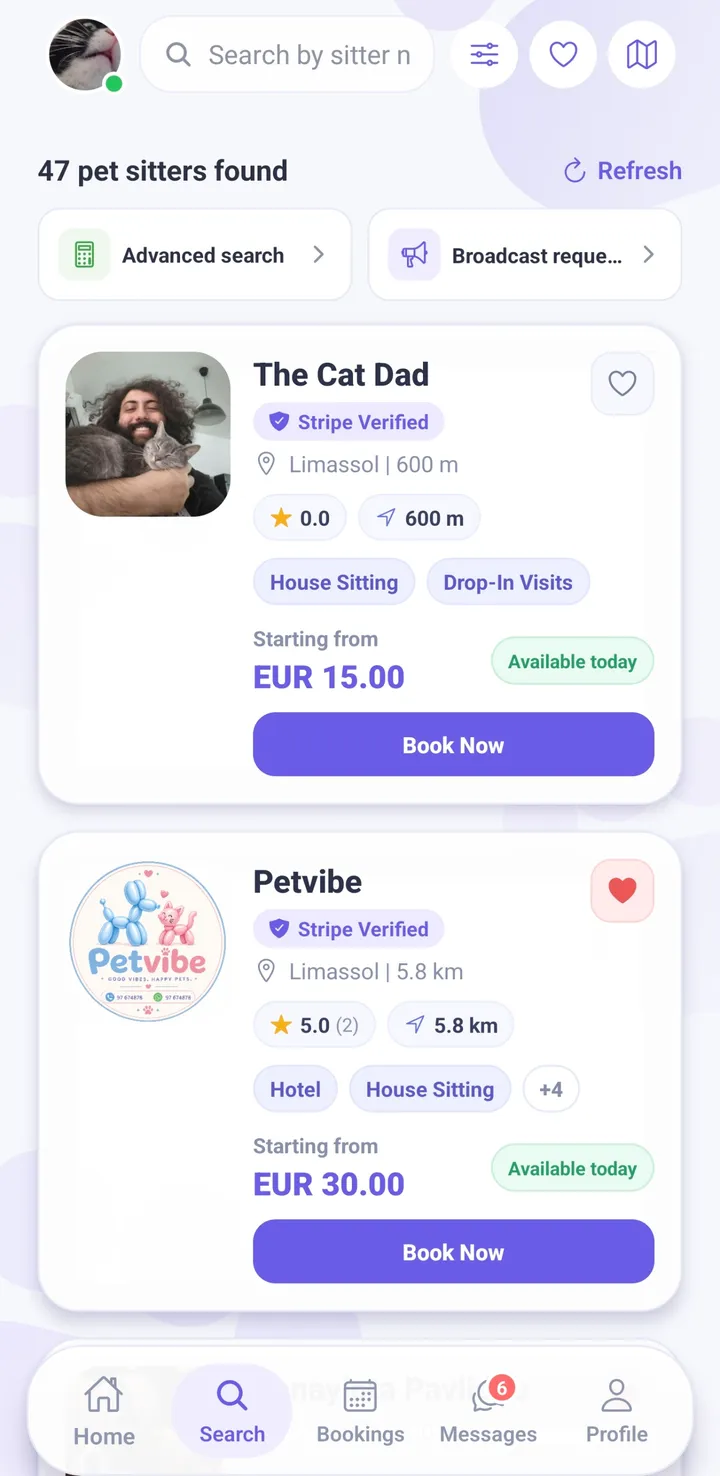
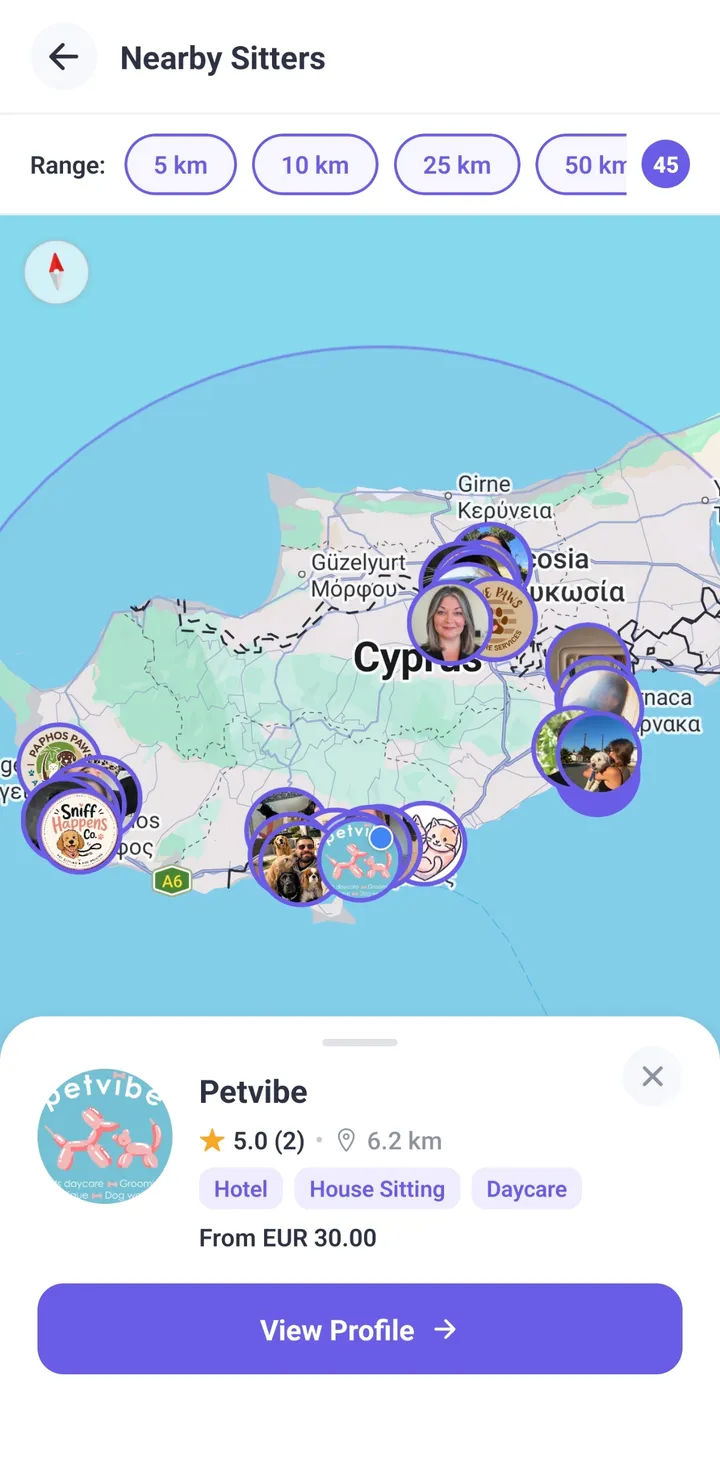
Search by what you need and when you need it, and narrow by distance, service and price. There is also a map view if you would rather see who is around you than read a list.
What to actually look at
- The verification badge. It means a real person at Petsly has checked that provider’s identity document and approved it. It is not automatic and it is not self-declared.
- Reviews from other owners. Only people who actually completed a booking can leave one, so they cannot be gamed by strangers.
- The bio, not the price. Someone who writes specifically about how they handle a nervous dog is telling you something a rate never will.
- What they accept. Providers set which species and sizes they take, so if they appear for your search they already work with pets like yours.
Why the pin is not their front door
Providers are shown at an approximate location, not their exact address — for their safety, the same way yours is not published. You get the real address once you have a confirmed booking with them.
You are not limited to individuals. Pet hotels, grooming salons, clinics and walking companies are on Petsly too, and they work the same way: same booking flow, same protection, same review window.
The three ways to book
Most people only ever use the first one. The other two exist for when you do not want to pick someone yourself, or when the job cannot be priced from a list.
| Book someone directly | Broadcast a request | Ask for a quote | |
|---|---|---|---|
| Use it when | You already know who you want | You want options without searching | The price depends on the job |
| You do | Pick dates and confirm | Describe the job once | Send the details and ask |
| You get | One provider to accept or decline | Several offers to compare | One price, or a range |
| How long | They reply in their own time | Offers arrive within 2 hours | Whenever they answer |
| You are charged | When they accept | When you pick an offer and confirm | When you accept the price |
1. Book someone directly
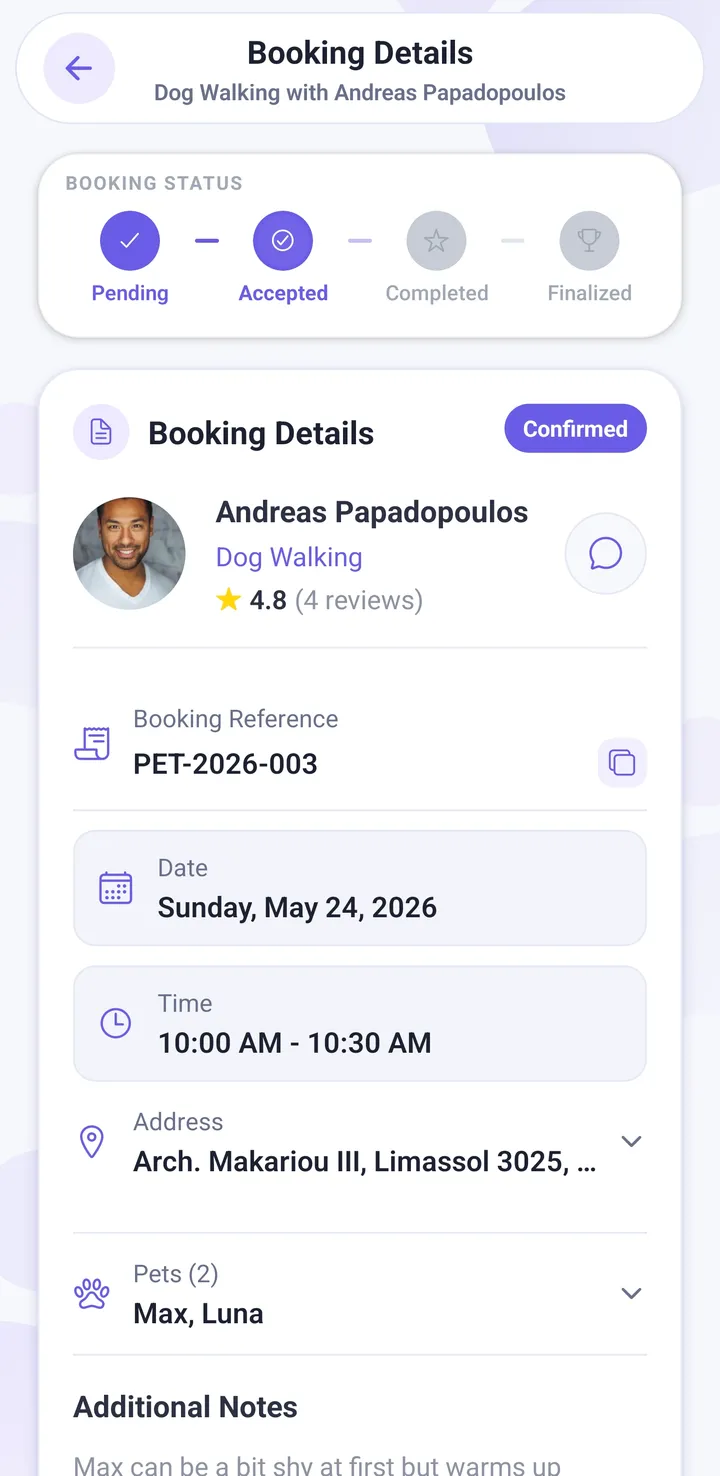
You found them, you liked them, you book them. Choose your dates, which pets are going, any extras, and confirm. It reaches that one provider as a request, and they accept or decline.
Your card is authorised at this point but not charged — the money is only taken when they accept. If they decline or never answer, the hold is released and you have paid nothing.
2. Broadcast a request
If you would rather not go through profiles one by one, describe what you need once — dates, pets, service — and it goes out to every available provider near you. They come back to you with offers at their own prices, and you pick the one you want.
It is the fastest way to find out what is genuinely available for your dates, especially at short notice or over a holiday. Providers have two hours to respond, so offers arrive quickly rather than trickling in for days.
Note that a broadcast is not tied to anyone yet, so you choose the exact address and any optional extras after you have picked your provider.
3. Ask for a quote
Some work cannot be priced from a list — a badly matted coat, a very large or anxious dog, a month-long stay. Those providers price case by case. You send the details, they reply with a price, and you can go back and forth in the chat before deciding.
Nothing is booked and nothing is charged until you accept the price. Accepting it is what creates the booking.
Meet & greets — free, and before you pay
If you are nervous about handing your animal to a stranger, this is the feature that fixes it. A meet & greet is a short meeting before anything is confirmed. It is free, and no payment is taken until after you have met.
How to get one
- Ask for it while you book. The booking flow offers a meet & greet step — choose when you are free and the provider picks a time inside that.
- Or accept one they suggest. Providers can propose a meeting straight from the chat, even before you have started a booking.
One side proposes days and a window of hours, the other picks the exact time. Meets are arranged between 08:00 and 22:00 and can be up to 90 days ahead. Where you meet is up to you both — your home, a park, a cafe. Use Share location in the chat to send the exact spot.
What to do at one
Bring your pet. Watch how they are together — that tells you more than any conversation. Ask where the animal will sleep, how many others will be there, what happens if there is an emergency, and who has your vet’s number. Ask to see the space if they are boarding.
If they price by quote
There is one extra step. Send your request and accept their price first — that is what creates the booking the meeting attaches to. You still pay nothing until after the meet.
⚠️ On the meet & greet step, tapping through without picking a time counts as skipping it. You get no confirmed meeting, and your phone numbers stay locked. If you want to meet first, choose one of the offered times or suggest your own.
When you can call your sitter
Until there is a real commitment, phone numbers stay inside Petsly and the chat removes numbers, email addresses and social handles from messages. People find this annoying for about a day, and then it protects them.
Numbers open up when either of these is true
- Your provider has accepted the booking. From then on you have their number, right through the stay and after it finishes.
- You have a confirmed meet & greet — a time actually locked in, not just suggested. This is deliberate: you need to be able to ring each other to arrange the meeting.
Once a booking is fully finished, numbers stay available for another seven days for the loose ends — a forgotten toy, a vet question — and then the chat filter comes back on for any new conversation.
Why it works this way
The protection you get on Petsly — money held until the provider accepts, dispute handling, refunds, a record of what was agreed — only exists for bookings made in the app. Somebody who wants to move you to WhatsApp and take cash is asking you to give all of that up. If a provider pushes for that before you have booked, that is worth knowing about them.
✅ Short version: an accepted booking, or a confirmed meet & greet. Either one gives you their number.
What you pay, and when
You never hand over cash, and you are never charged for a booking nobody accepted.
- You confirm. Your card is authorised — the amount is set aside, but not taken.
- The provider accepts. Now the payment goes through, and Stripe, our payment provider, holds it.
- The service happens. Your money is still held by Stripe, not by the provider.
- It is marked complete and a short review window runs. This is your chance to raise a problem.
- The window closes and the provider is paid.
If the provider declines, or never responds, the authorisation is released and you are charged nothing.
What is on the bill
- The provider’s price — their rate for the service, plus any extras you chose and any additional pets.
- The Petsly Protection fee — added on top. It is currently 2% until 1 November 2026, then 4%.
The full breakdown is shown before you confirm, and again on the booking. There are no other charges — no booking fee, no card surcharge, no subscription.
What Protection actually buys you
It is not an admin charge. It pays for identity-verified providers, your money being held rather than handed over, a team that handles disputes, and refunds when they are due. If your provider cancels on you, the Protection fee is refunded in full along with everything else.
One practical note: bookings have a €5 minimum service value, so very small one-off jobs may need to be combined into a single booking.
💡 Booking the same person repeatedly? Recurring bookings let you set up a regular walk or visit once, instead of rebooking every week.
While your pet is away
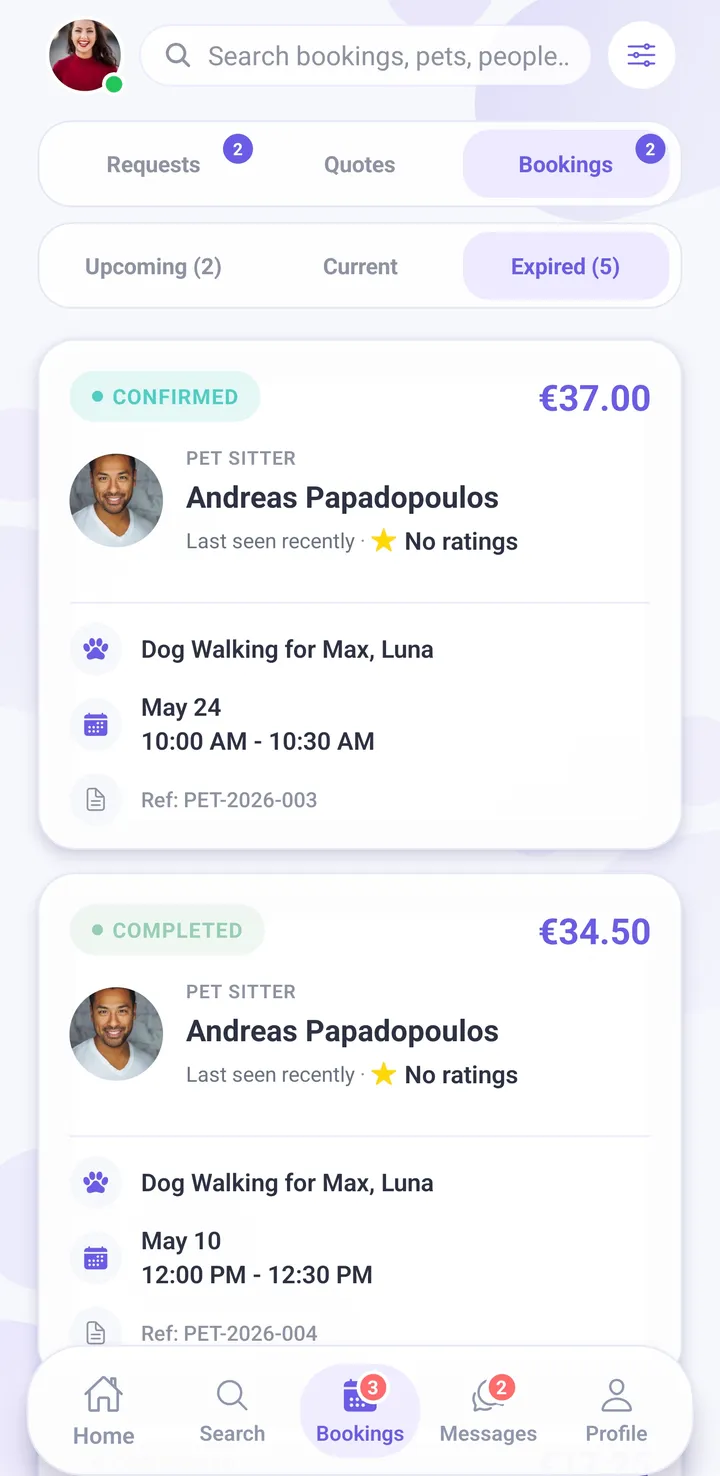
- Message them any time. Each booking has its own chat, with your pet’s details and notes right there, so nothing gets lost in a general conversation.
- Photos. Providers can send photos during and after the service. Most good ones do it without being asked; it is entirely reasonable to say up front that you would like a daily photo.
- Live map on walks. For dog walking you can follow the route in real time and look at it afterwards — where they went, how far, how long.
- Need longer? Ask for an extension from the booking. The provider approves it and the extra time is priced and charged separately, so nothing is vague.
If something feels wrong at any point, say so in the chat first — most issues are a misunderstanding about times or feeding. If that does not resolve it, contact Petsly while the booking is still running rather than waiting until it is over.
After the booking
When the service is finished the booking is marked complete, and a 24-hour review window opens before the provider is paid.
That window is the important bit. It is your opportunity to raise anything that went wrong while the money is still with Petsly. If you open a dispute in that time, the payment is held, a Petsly admin reads the booking — the chat, the photos, the GPS track — hears both sides, and decides. Refunds are issued from there.
Then leave a review. Only people who actually completed a booking can review, which is exactly why the reviews on this app are worth reading. Yours is what the next nervous owner will read.
⚠️ If something went wrong, raise it in the review window rather than after it. Once the window closes the provider has been paid, and putting that right is much harder.
Cancelling and refunds
The earlier you cancel, the more you get back. Refunds work on a sliding scale based on how long before the start you cancel — cancel well ahead and you get everything back; cancel at the last minute and the provider keeps a share, because they turned other work away to hold your dates.
The exact tiers are set out on the cancellation and refund policy page, which always shows the current rules. Your booking also shows you exactly what you would get back before you confirm the cancellation, so you are never guessing.
Things worth knowing
- If your provider cancels on you, you get everything back — the full service price and the Protection fee.
- If you cancel, the Protection fee is not refunded. The work it paid for — verification, holding your money, support — has already happened.
- You can take the refund as Petsly credits instead, where offered. Credits give you more back than the cash refund would, apply automatically to your next booking, and cannot be withdrawn as cash.
- You can ask the provider to waive their cancellation fee if your circumstances changed. They can say no, and the Petsly team will then look at it.
Paying less
- Provider offers. Many providers run their own discounts — a returning-client rate, or a reward after a number of completed bookings. These show on their profile, and qualifying ones apply on their own.
- Loyalty rewards. Keep booking the same provider and their loyalty offer unlocks. Your progress toward it is shown, so you know how close you are.
- Voucher codes. Enter a code at checkout and the discount comes off before you pay.
- Refer a friend. Share your referral code; when they join and book, credits land in your account and apply automatically next time.
- Credits. Anything you hold as credit — from referrals, a goodwill gesture, or a refund you chose to take as credit — is applied to your next booking without you doing anything.
The one thing that does not save you money is arranging it off the app for cash. You lose the held payment, the dispute process and the refund rights, which is a bad trade for a small discount.
How Petsly keeps you safe
- Identity checks before the first booking. Providers verify their identity with Stripe, our payment provider, and a Petsly team member then reviews and approves their profile. They cannot take bookings or be paid until both are done. These checks confirm who a provider is. They are not a background check or a guarantee of the care they give.
- Your money is held, not handed over. Payment is held by Stripe, our payment provider, from the moment the provider accepts until the review window closes after the service.
- Everything is on the record. Chat, photos and the GPS track live on the booking, so a dispute is decided on evidence rather than on who argues better.
- The chat is moderated. Contact details and attempts to move you off-platform are filtered before a booking exists, and image moderation runs on what is sent.
- Reviews are earned. Only a completed booking can produce a review.
- Real people to talk to. Support is reachable from inside the app and from the contact page.
Sensible things to do anyway
- Do the meet & greet. It is free, and it is the best signal you will get.
- Put the difficult things about your pet in writing, in the chat, so there is a record.
- Leave your vet’s details and an emergency contact on the pet profile.
- Keep it in the app. If you never move off it, everything above still applies to you.
Frequently asked
Does it cost anything to join or to search?
When exactly is my card charged?
Can I meet the sitter before I commit?
Are the sitters actually checked?
What if something goes wrong during the stay?
Why can I not see their phone number yet?
Can I cancel, and what do I get back?
Do you take cats and other animals, not just dogs?
Find someone for your pet
Have a look at who is near you first — you do not need an account to browse.
Last updated September 2026. Fees, timings and policies can change — the app and the Help Center are always the current source.