Everything you need to run your pet care business on Petsly
Written for sitters, dog walkers, groomers, pet hotels and clinics. How to set yourself up, how work reaches you, how meet & greets work, when you can swap phone numbers, and exactly how and when you get paid.
The whole journey at a glance
Setup is five steps and one approval. After that, work reaches you in three different ways and the money follows the same path every time.
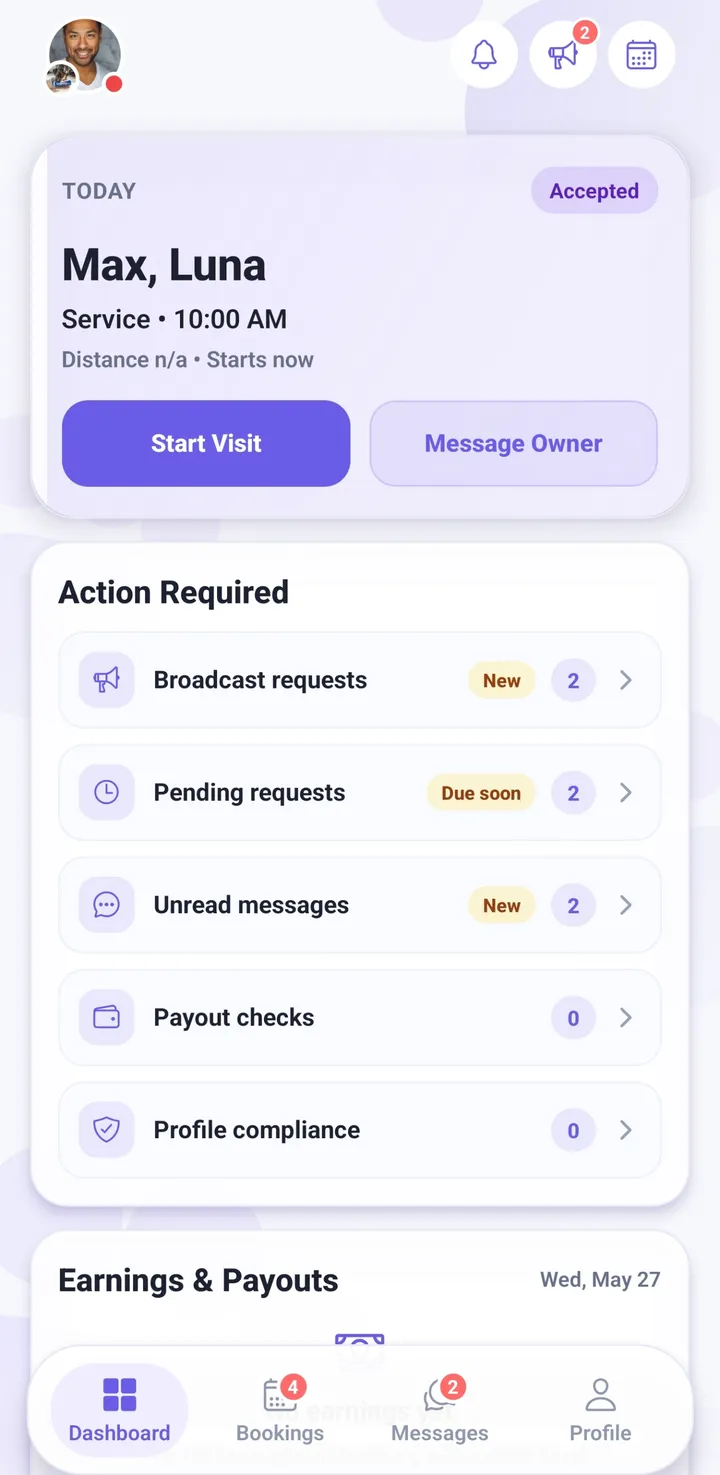
- Sign up as a providerFree, on iPhone, Android or in your browser. Choose whether you work on your own or as a business with staff.
- Build your profilePhoto, bio, city and how far you travel. This is the single biggest thing that decides whether an owner books you.
- Publish your servicesWhat you offer, what it costs, and which pets you accept. Fixed prices, or price each job by quote.
- Connect your payoutsStripe collects your identity and bank details so Petsly can pay you.
- Set your availabilityEither stay always-open and answer each request, or keep a real calendar.
- Get verifiedYou upload ID, a Petsly admin reviews it. This is the last step, not an afterthought — you are not fully live until it is approved.
- Requests start arrivingA direct booking, an open broadcast you bid on, or a quote request for you to price.
- Meet & greet (optional)Meet the owner and the pet before anything is confirmed. Either side can propose it.
- The booking runsChat, photos, live GPS on walks, and extensions if the owner needs longer.
- You get paidA short review window closes, the booking is finalised, and your balance is released to your bank.
Create your account
Creating a provider account is free and takes a couple of minutes. Download Petsly from the App Store or Google Play, or open it in a browser at app.petsly.pet — the whole app works on desktop too.
On the first screen you pick your account type. Providers choose Pet Service Provider: you work on your own, and the services, prices, calendar and payouts are all yours.
Two things are worth knowing before you start:
- Working at a business already on Petsly? Still sign up as a Pet Service Provider. Once you are in, go to Profile → Join an Organization and enter the 6-character code the business gives you — the owner then approves you onto the team.
- Running the business yourself? There is no business account to sign up for. Business accounts aren’t self-serve — we set each one up with you, and we’re onboarding a small number of shops at a time, so message us and we’ll take it from there.
You can sign up with an email and password, or with Google or Apple. After that the app walks you through the remaining setup steps in order, and you can leave and come back — your progress is saved.
💡 Will anyone other than you ever be at the customer’s door? Then you want a business account rather than a solo profile — message us before you build out your services and calendar. We can move a solo profile onto a business account later, but telling us first saves you re-doing the work.
Build a profile owners trust
This is the step people rush, and it is the step that decides everything. An owner is handing you their animal and their keys. They will read your profile before they read your price.
What goes in
- A real photo of you. Clear, friendly, your actual face. A photo with an animal in it does even better. This is required — providers cannot finish setup without one.
- A bio that says something. How long you have done this, which sizes and breeds you are comfortable with, whether you have your own pets, how you handle a nervous dog, what your home or van is like. Three honest sentences beat a paragraph of adjectives.
- Your city. Pick it from the list rather than typing it — that is what puts you in local search results and on the map.
- How far you travel. Your service radius decides which requests reach you. Too small and you see nothing; too wide and you get jobs you will not take.
- Qualifications and certificates. First aid, grooming, veterinary, kennel experience. These sit on your profile and are one of the strongest trust signals you have.
A bio that works
“I’m Maria, I’ve lived in Limassol my whole life and I’ve had dogs since I was a kid. I currently have a 6-year-old lab and a very opinionated cat. I take up to two dogs at a time so nobody gets lost in the crowd, I send photos every day, and I’m happy to do a short walk before drop-off so your dog settles. If you want to meet first, just ask — I’d rather we both feel comfortable.”
It works because it has a name, a place, real experience, a limit, something concrete she does, and a low-pressure invitation.
⚠️ Empty bio and no photo means close to no bookings. If you only do one thing today, do this step.
Publish your services
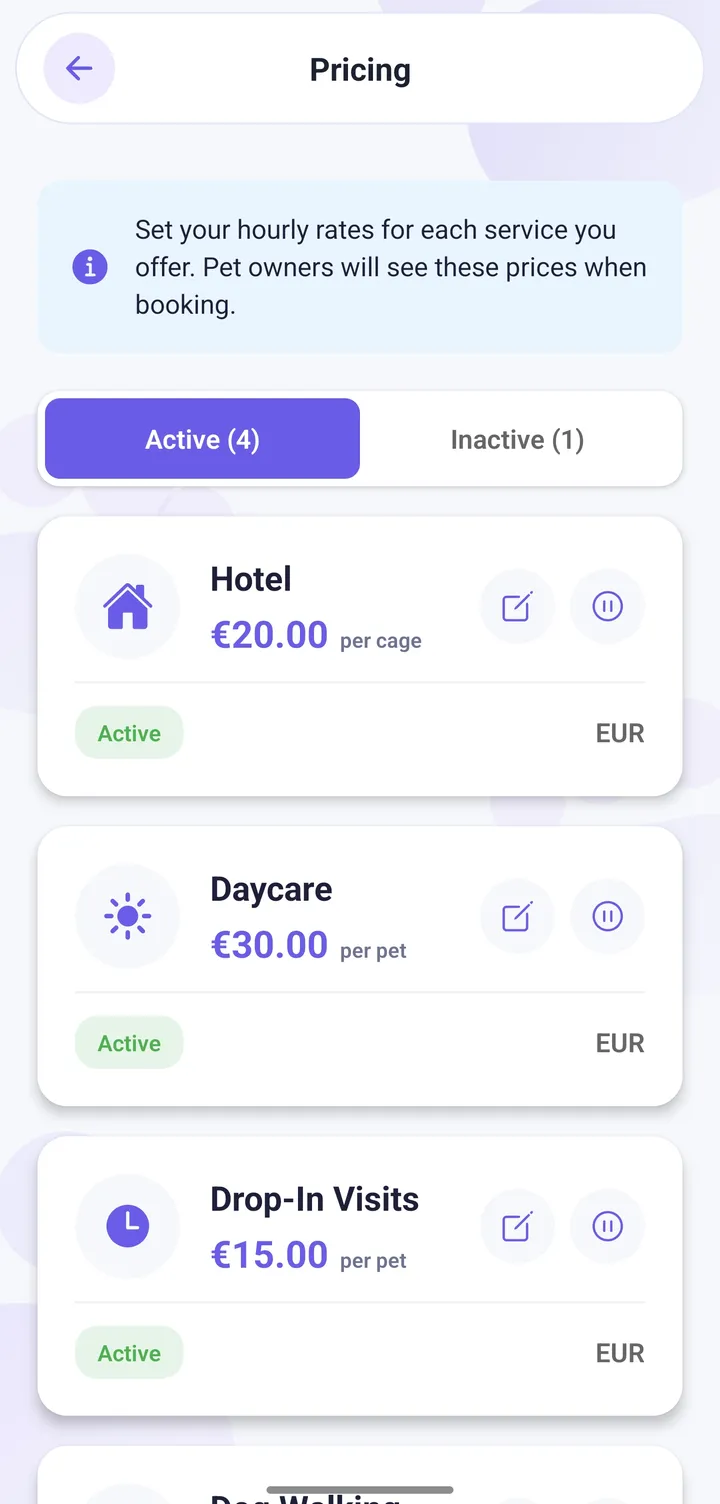
You need at least one published service before anyone can book you. Each service is a thing you do, at a price, for certain pets.
What you can offer
- Boarding — the pet stays at your place, priced per night.
- House sitting — you stay at the owner’s home.
- Daycare — daytime care, the pet goes home at night.
- Drop-in visits — short visits to feed, let out and check in.
- Dog walking — priced by duration, with live GPS tracking the owner can follow.
How you price it
Pick the model that matches how you actually work:
- Per pet — each animal is charged. Normal for walking and boarding.
- Per booking — one flat price no matter how many pets. Good for house sitting.
- Per unit — per room, per cage, per run. This is the one pet hotels want.
You can also add an extra-pet price, and attach optional add-ons the owner can tick at checkout: food and supplies, health and medication, light grooming, extra attention, transport. Each add-on has its own price and its own limits.
When you can’t give a fixed price
Some work cannot be priced from a list — a matted coat, a nervous giant breed, a three-week stay. For those, set the service to be priced by quote. The owner sends you the details, you reply with a price (a single figure or a range), and the booking is only created once they accept it. See the three kinds of request below.
Finally, choose which pet types each service accepts. Turning off species you do not want is far better than declining requests later — declines cost you ranking and goodwill.
Connect your payouts (Stripe)
Petsly pays you through Stripe, the same payments company used by most of the internet. Petsly never sees or stores your bank details — you enter them on Stripe’s own secure form.
- Open Earnings from your dashboard, or reach the Payouts step during setup.
- Tap Connect with Stripe.
- Complete Stripe’s form: your identity, your address, and the bank account you want to be paid into.
- Come back to the app. The status becomes Bank account connected — or Verification pending while Stripe finishes its checks, which is normal and usually short.
This step counts as done only once Stripe has actually switched payouts on for your account. Until then your balance can build up, but nothing can be sent.
⚠️ Set your country correctly before you start. Stripe locks the country to the account and it cannot be changed afterwards — fixing it means starting a new Stripe account from scratch.
🏢 Working for a business? Money from a business’s bookings goes to the business, not to the individual member. Team members still connect Stripe — for that account it works as identity verification, and together with approved ID it is what lets you be assigned to bookings.
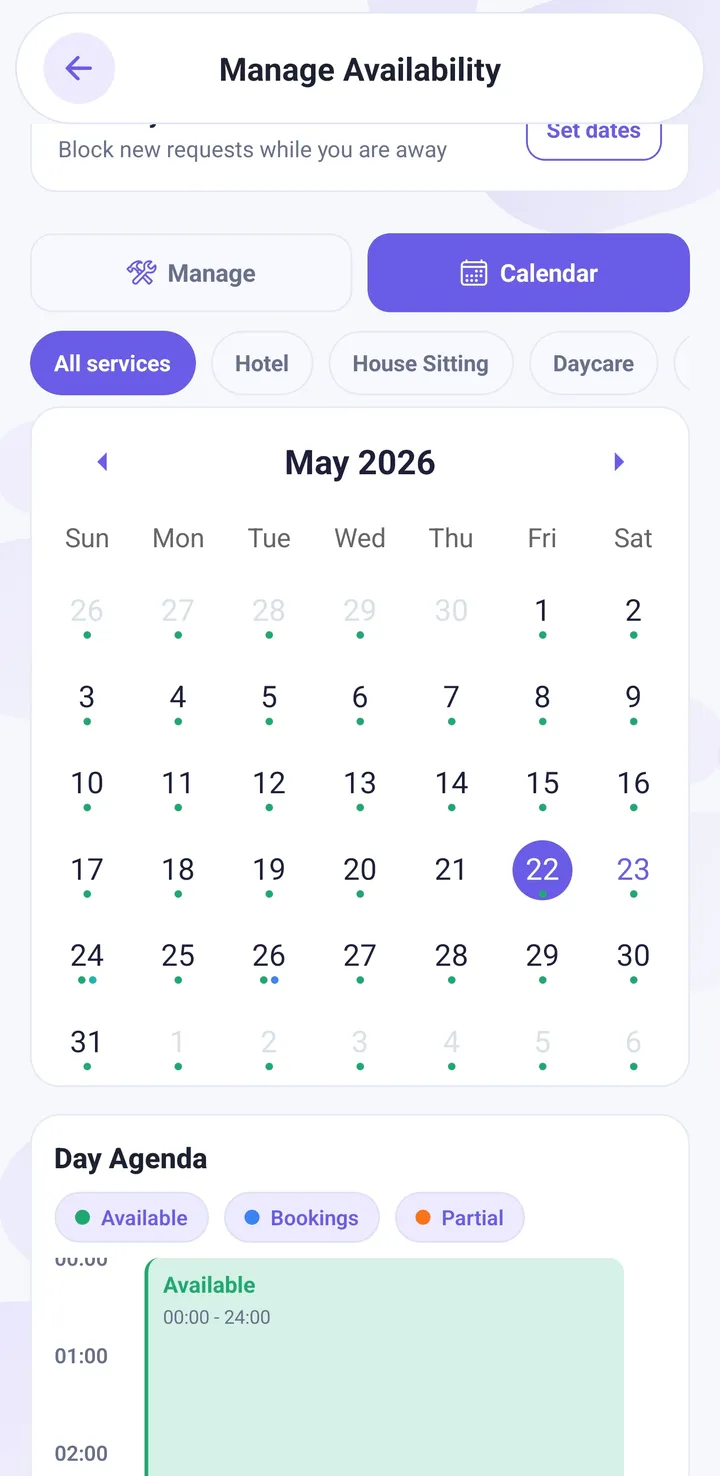
Set your availability
There are two ways to run your calendar, and you can switch between them.
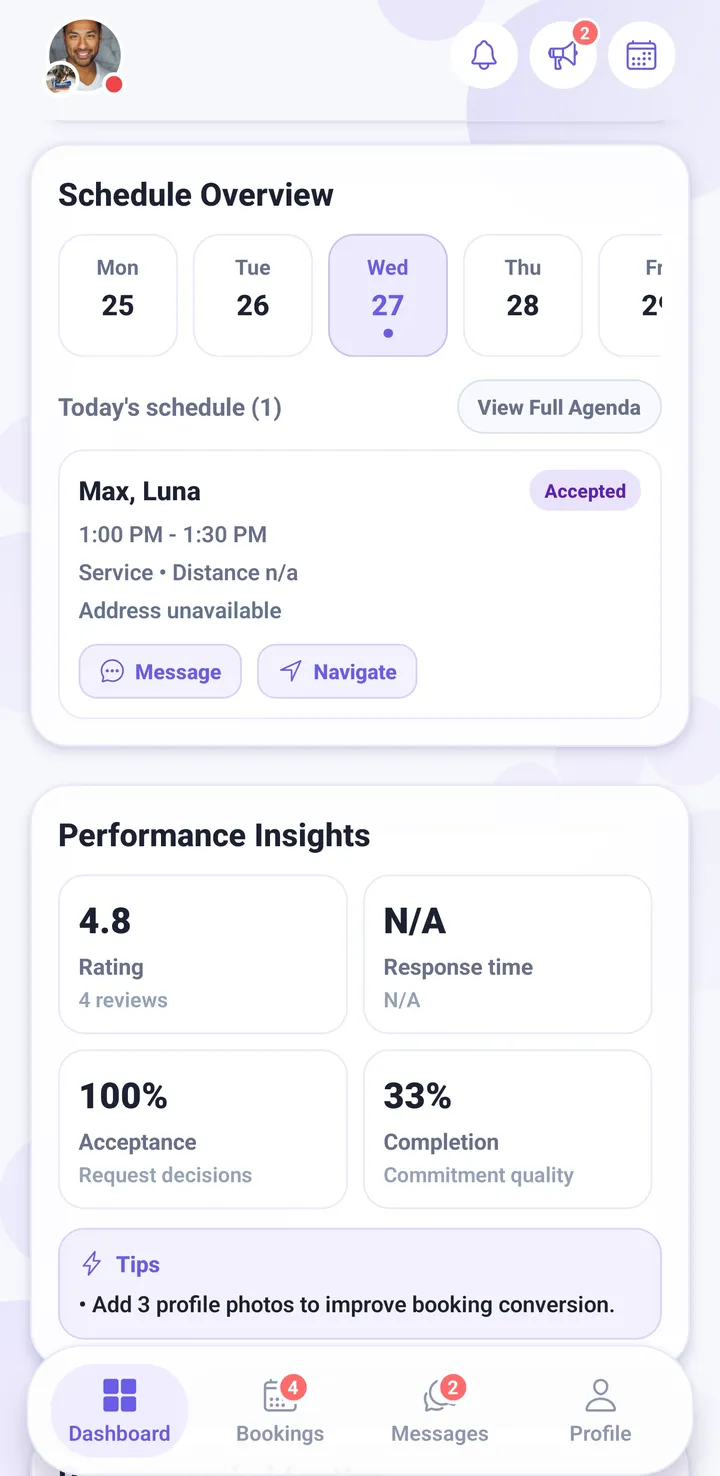
- Simple — you stay open and decide request by request. Least work, and a good place to start. The trade-off is that owners can ask for any date, so you will decline more.
- Calendar — you set real working hours and block the days you are away. Owners only see dates you can actually take, so the requests that reach you are ones you want. You can build recurring weekly patterns up to six months ahead.
On top of either mode you can set capacity — how many pets, rooms or runs you can handle at once — so two bookings never collide, and away dates for holidays.
Keeping this current is worth more than it looks. Stale availability produces requests you have to decline, and declines are the fastest way to stop being shown.
Get verified — the last step
This is the step people misunderstand most, so it is worth being blunt about it.
Verification is not something that happens after you are approved and live. It is the final step of setup. You upload an identity document, a real person at Petsly reviews it, and only when they approve it does your profile count as complete.
Until then you can build everything — profile, services, prices, calendar, Stripe — but you are not finished, and payouts stay blocked.
If you run a business, the order matters in a way that surprises people: your own personal ID has to be approved before you can submit the business for approval. Approve yourself first, then submit the organisation.
Reviews are done by hand, so upload a clear, uncropped photo of a valid document with all four corners visible. That is the difference between same-day and a second round trip.
✅ Once verification is approved you are fully live: you appear in search and on the map, owners can book you, and your earnings can be paid out.
The three kinds of request
Work reaches you in three different ways. They behave differently, and knowing which one you are looking at tells you how fast you need to move.
| Direct booking | Broadcast request | Quote request | |
|---|---|---|---|
| Who starts it | An owner who found you and chose you | An owner who wants several options at once | An owner asking you to price a job |
| Competition | None — it is yours to accept | Every available provider nearby can bid | None — they asked you |
| You reply with | Accept or decline | An offer, with your price | A price, fixed or a range |
| Clock | Expires if you never respond | Two hours, then it closes | Optional expiry you can set |
| Booking exists? | Yes, already | Only once the owner picks your offer | Only once the owner accepts your price |
1. A direct booking
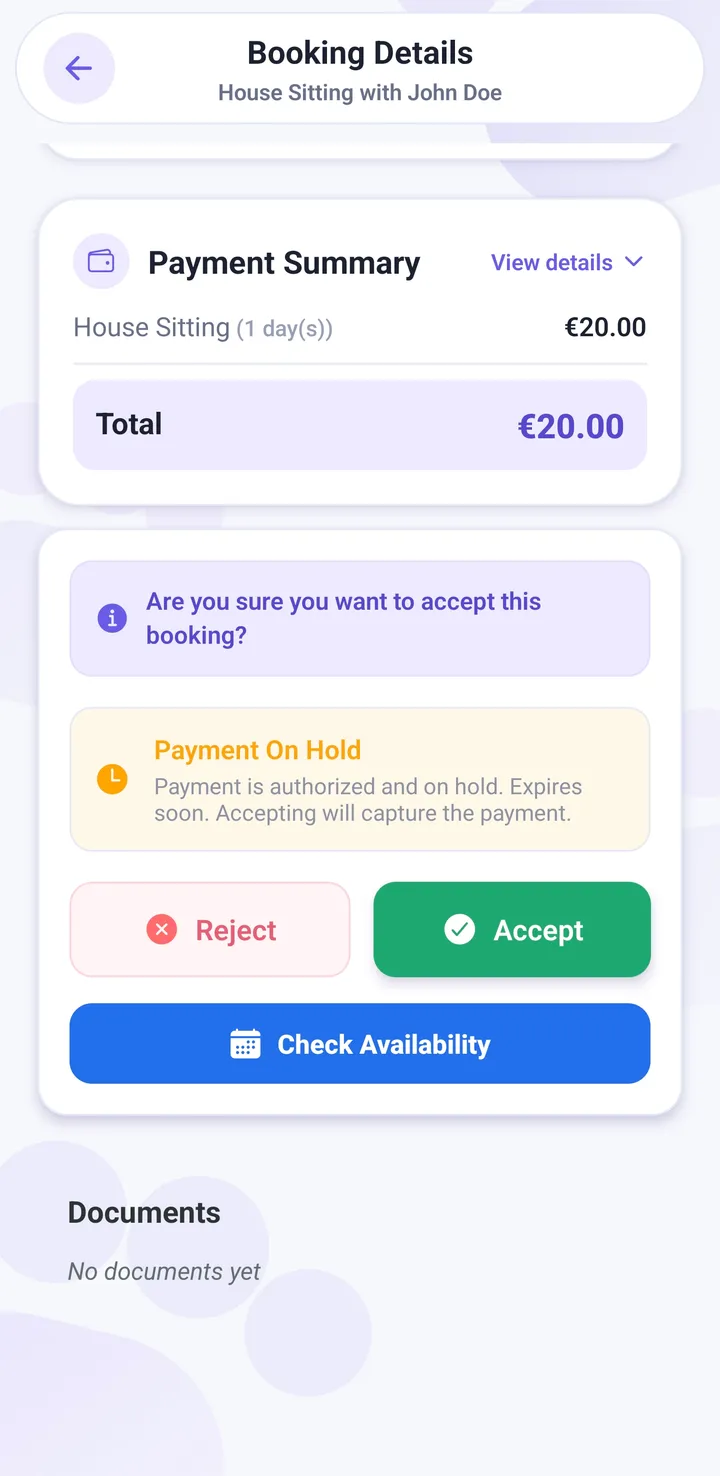
The owner has already found you, chosen the dates and entered their card. It arrives as a pending request and it is yours alone — nobody is competing with you. You accept or decline it.
Their card is authorised when they book and charged when you accept, so by the time you say yes the money is committed. If you never respond, the request eventually expires on its own.
2. A broadcast request
Instead of picking one provider, the owner describes the job once — dates, pets, what they need — and it goes out to every available provider nearby. You see it in your Broadcast requests feed and reply with an offer at your price.
Open requests expire after two hours. That is the whole game: speed matters more here than anywhere else in the app. You can withdraw an offer and send a new one while the request is still open, and if the owner declines yours you can send another as long as the window has not closed. When the owner picks an offer, that is the moment a booking is created.
3. A quote request
For work you price case by case. The owner sends you the details and you reply with a price — a single figure, or a range if you genuinely cannot commit until you see the animal. Quote requests appear in your Quotes list and in the chat thread with that owner, so you can ask questions before you price.
The important part: a quote is not a booking. Nothing is confirmed and nothing is charged until the owner accepts your price. That acceptance is what creates the booking.
💡 Answer broadcasts first. A direct booking will wait for you; a broadcast will not, and the owner is looking at everyone else’s offer while yours is unwritten.
Meet & greets
A meet & greet is a short, free, no-obligation meeting before anything is confirmed. Nobody is charged for it, and either side can ask for one.
Who can start one
- The owner can ask for a meet while they are booking you.
- You can suggest one straight from the chat — open the + menu in a conversation and choose Suggest meet & greet. You do not need a booking to exist first, which is the point: you can offer to meet someone who is still deciding.
How the times get agreed
One side proposes the days that work and a window of hours; the other side picks the exact slot inside it. That avoids the twelve-message back-and-forth of trying to name a single time.
- Meets can be arranged between 08:00 and 22:00.
- You can propose up to 90 days ahead.
- If the meet is on the same day the booking starts, it has to be at least two hours before the booking begins.
- Where you meet is up to you both — the owner’s home, a park, anywhere you are both comfortable. Use Share location in the chat to send the exact spot.
If you price by quote
There is one extra hop. Your quote has to be sent and accepted first, because accepting it is what creates the booking the meet attaches to. Tell the owner: send the request, accept the price, then the meet you both chose gets scheduled — and they still pay nothing until after you have met.
⚠️ A meet only counts once a slot is actually locked in. A suggestion that has been sent but not answered is not a confirmed meet — and it will not open contact details. If an owner taps past the meet step without choosing a time, they have skipped it.
When phone numbers unlock
This is the question providers ask most, so here is the exact rule.
Before there is a commitment, contact details stay inside Petsly. Phone numbers are hidden, and the chat filter removes numbers, email addresses and social handles from messages. That is deliberate: until money is committed, a job arranged off-platform is one Petsly cannot protect, insure, refund or back you up on.
They open in two situations
- The booking is accepted. The moment you accept a request — or, for a business, when the booking is accepted and assigned — the customer’s phone number becomes available to both sides, and stays available through the stay and after it is completed.
- You have a confirmed meet & greet. If a meet slot is actually locked in while the booking is still waiting on that meet, contact opens early. This exists precisely because you need to call each other to arrange the meet — waiting until after would be circular.
What does not open contact
- A meet & greet that has been suggested but not answered.
- A meet that was cancelled, or where someone did not turn up.
- A booking that was cancelled, declined or refunded — contact does not reopen.
After a booking is fully closed and paid out, contact stays open for seven more days — for the forgotten toy, the vet follow-up, the “she wouldn’t eat on the last day” message. After that the chat filter comes back on. Anyone who wanted each other’s number already has it.
✅ Short version: accepted booking, or a confirmed meet & greet. Either one opens the phone number. Nothing else does.
While the booking runs
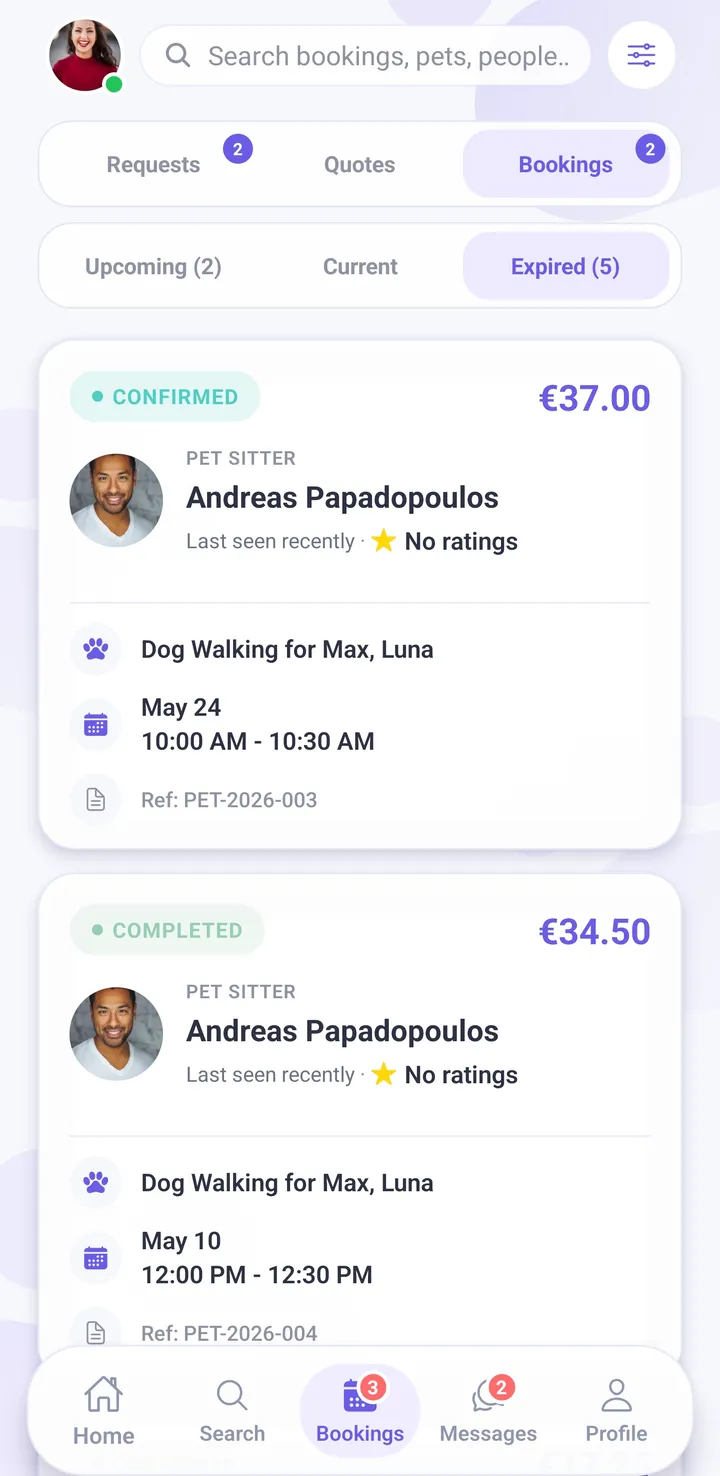
Once you have accepted, the booking moves from confirmed, to in progress when the service starts, to completed when you finish. Everything happens in the booking itself so there is a record if anything is ever questioned.
- Chat — one thread per booking, with the owner’s notes and the pet’s details next to it.
- Proof photos — send photos during and after. This is the single cheapest thing you can do to get rebooked. Owners who get a daily photo come back.
- Live GPS on walks — for walking bookings the owner can follow the route in real time and see it afterwards.
- Extensions — if the owner needs longer, they request an extension and you approve or reject it. The extra time is priced and charged separately, so you are never asked to work unpaid time.
When the service is done, mark the booking complete. That starts the clock on getting paid.
How, when and how much you get paid
You never chase a customer for money. The payment is taken up front and held by Stripe, our payment provider, so the work you agreed is the work that gets paid.
- The owner’s card is authorised when they book. The money is committed before you have lifted a finger.
- It is charged when you accept. From that point the funds are held by Stripe, not by the customer.
- You do the job and mark it complete.
- A 24-hour review window runs. This is the owner’s chance to raise a problem. Almost nobody does, but it gives them a fair chance to be heard — and what stops a customer disappearing on you.
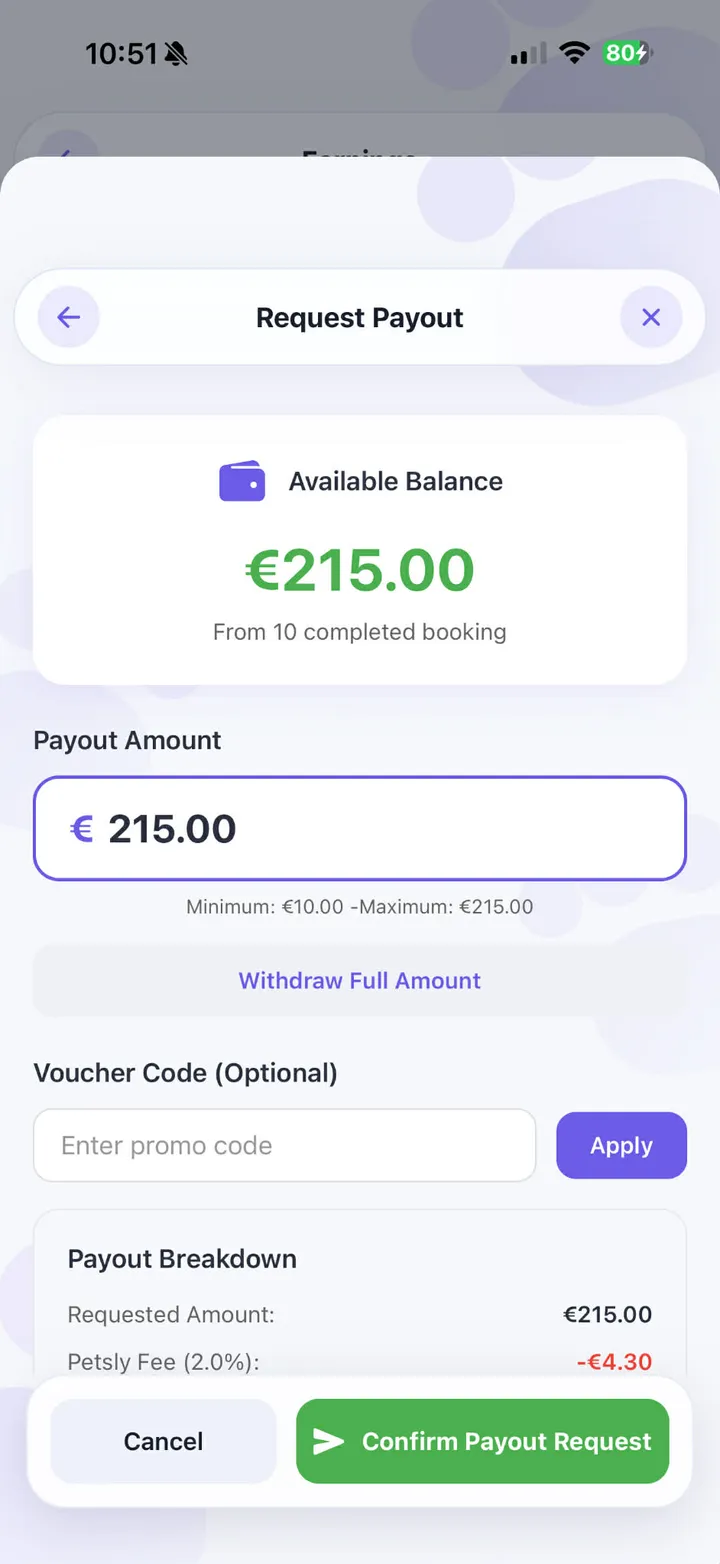
- The booking is finalised and your earnings are released. Once your balance is available it is paid out to your bank automatically. You can also request a payout yourself from the Earnings screen.
- The transfer reaches your bank in roughly 2–5 business days, which is Stripe’s normal timing, not something Petsly adds.
What can hold a payout up
- Your ID verification has not been approved yet.
- Stripe has not finished switching on payouts for your account.
- The review window on a booking has not closed yet.
- There is an open dispute on a booking in that balance.
- Your available balance is under the €10 minimum for a payout.
Every payout shows what it was made of, booking by booking, with the fee broken out — so the number arriving in your bank is always traceable back to the jobs it came from.
What Petsly charges
Plainly, because you should be able to price your work without guessing.
- Providers pay 4% of a payout, with a minimum of €0.50 per payout. It is deducted when your earnings are paid out, not added on top of what the customer pays.
- There is no separate card-processing fee for you. Petsly absorbs what Stripe charges on the customer’s payment. The 4% is the whole cost of using Petsly.
- Owners pay their own booking fee — currently 2% until 1 November 2026, then 4%. It sits on top of your price and does not come out of your earnings.
- Referral and loyalty rewards can cut your fee, in some cases to zero, for a period. If you bring other providers onto Petsly this is where it pays you back.
Something to be aware of if you joined during the launch
Petsly ran a 0% commission launch promotion. It ended on 1 September 2026. If you joined while it was running, the 4% now applies to your payouts where before it was zero. Nothing else about your pricing changed, but it is a real change to what lands in your account, and you should know about it rather than discover it.
What this means when you set a price
The price you enter is what the customer is quoted for your service, and it is the number your earnings are calculated from before commission. On a €45 booking, 4% is €1.80 — so €43.20 reaches you. If your margins are tight, price with that in mind.
💡 Fees are shown per booking in your Earnings breakdown, and per payout in your payout history. If a number ever looks wrong, that is where to look first — and contact us if it still does.
Cancellations, disputes and safety
If an owner cancels, what they are refunded depends on how close to the start they cancelled. The full rules are on the cancellation and refund policy page.
If you have to cancel, do it as early as you possibly can and say why in the chat. Late cancellations are the thing owners complain about most, and they affect how often you are shown.
If something goes wrong, the owner can raise a dispute during the review window after the booking is completed. A Petsly admin looks at both sides, reads the booking thread, and decides. This is exactly why the chat, the photos and the GPS track matter — a booking with a photo record is one you can defend. A conversation that moved to WhatsApp is one you cannot.
Keep the work on Petsly. It is not about the commission. A booking made in the app is one where the money is held before you start, where there is a record of what was agreed, and where somebody at Petsly can step in. A cash job arranged off-platform has none of that, and if it goes wrong you are on your own.
Get more bookings
In rough order of how much difference each one makes:
- Answer fast. Broadcast requests close after two hours. Being first with a sensible price beats being cheapest an hour later.
- Finish your profile properly. Photo, real bio, certificates. It is free and it is the biggest lever you have.
- Send photos during every booking. This is what turns one booking into a regular customer.
- Keep your calendar honest. Declines hurt you. Blocked dates do not.
- Ask for reviews. A short message at drop-off works better than a notification.
- Run your own offers. You can create your own discount codes and set up loyalty rewards for repeat customers — a small returning-client discount costs you far less than finding a new customer.
- Say yes to meet & greets. Owners who meet you first book longer stays and come back.
Frequently asked
How long does it take to get approved?
Does it cost anything to join?
Can I set my own prices?
When exactly can I see the customer’s phone number?
What happens if a customer doesn’t pay?
Do I have to accept every request?
Can I use Petsly on a computer?
I run a business with staff. Is that supported?
Ready to take your first booking?
Setting up is free and takes about an hour. The only thing you cannot rush is verification — so start that today.
Last updated September 2026. Fees, timings and policies can change — the app and the Help Center are always the current source.